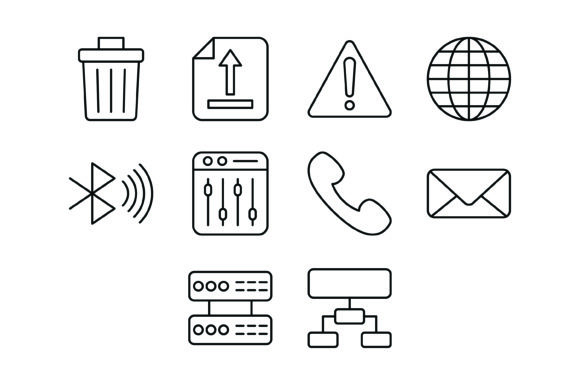
Streamline Your Projects with the 10 UI Outline Icons Bundle
In the world of digital design, clarity is king. Whether you are building a mobile application, crafting a pitch deck for investors, or designing a clean user interface for a corporate website, the visual language you use speaks volumes about your brand's professionalism. Generic graphics often fall flat, failing to communicate the specific action or concept you need to convey. This is where a dedicated set of design assets becomes invaluable. The 10 UI Outline Icons Bundle offers a curated collection of vector graphics designed to solve specific communication problems with elegance and precision.
The Power of Visual Hierarchy and Consistency
When users interact with a screen or a page, their eyes are naturally drawn to elements that break up text and provide context. Icons are not just decoration; they are functional tools that guide the user's journey. The 10 UI Outline Icons Bundle focuses on a minimalist aesthetic, utilizing clean lines and negative space. This style is particularly effective in modern typography and web design, where clutter is the enemy of conversion. By using a consistent set of icons, such as the ten included here, you create a visual rhythm that makes your content easier to scan and digest.
This bundle includes specific, high-utility graphics: a Bin Icon for deletion actions, an Upload Icon for file management, a Warning Icon for alerts, and a Globe Icon for international settings. It also features technical symbols like the Bluetooth Icon, Server Icon, and Hierarchical Structure Icon. Having these specific metaphors ready to go saves hours of searching or commissioning custom work, allowing you to focus on the broader brand identity.
Versatility Across Formats and Platforms
One of the most significant challenges in the design workflow is asset management—specifically, ensuring you have the right file type for the right job. A creative font or graphic is useless if it cannot be scaled for a billboard or compressed for a mobile app. The 10 UI Outline Icons Bundle addresses this by including five distinct file formats: AI, EPS, JPG, PNG with a transparent background, and SVG.
This variety ensures you are covered for virtually any scenario:
- SVG (Scalable Vector Graphics): This is the gold standard for web design and app interfaces. SVGs load quickly and can be scaled to any size without losing quality, ensuring your icons look sharp on high-resolution Retina displays.
- AI and EPS: These are essential for professional designers working in Adobe Illustrator. If you need to edit the line weight, combine the Mixer Icon with a custom shape, or change the color to match a specific brand palette, these vector files give you total control.
- PNG (Transparent): For those working in presentation software, social media scheduling tools, or drag-and-drop website builders, the PNG format is ready to use immediately. The transparent background allows the icons to sit perfectly over any color or image.
- JPG: While less flexible than PNGs, JPGs are useful for quick mockups or situations where file size is a priority and transparency is not needed.
Practical Applications for Creators and Businesses
The utility of the 10 UI Outline Icons Bundle extends far beyond simple button labels. For entrepreneurs and small business owners, these assets can elevate marketing materials from amateur to polished. Consider using the Message Icon on a business card to highlight a customer support email, or the Receiver Icon on a flyer to draw attention to a phone number. In packaging design, icons can quickly communicate instructions or product features—like using the Warning Icon for care instructions on a garment.
For content creators and bloggers, visual breaks are essential for keeping readers engaged. Instead of using generic stock photos, using these outline icons can illustrate points in a tutorial or a listicle. For example, a tech blog discussing connectivity could use the Bluetooth Icon and Server Icon to visually separate different sections of an article. This approach improves readability and reinforces the content's theme without overwhelming the reader.
Integrating Icons into Your Design System
When incorporating the 10 UI Outline Icons Bundle into your workflow, think about how they interact with your typography. Outline icons pair exceptionally well with sans serif fonts, which often share a similar geometric structure and open feel. If you are using a serif font for a more traditional or editorial look, the clean lines of these icons can provide a modern counterpoint, preventing the design from feeling dated.
Here are a few tips for integration:
- Check Alignment: When placing an icon next to text, ensure the vertical center of the icon aligns with the x-height of the text (the height of a lowercase 'x'), rather than the cap height. This creates a more optically pleasing balance.
- Consistent Stroke Weight: If you are using these icons alongside a display font or script font, you may need to adjust the stroke weight of the icon. A thin icon might disappear next to a bold header, while a thick icon might overwhelm delicate body text.
- Color Psychology: While the bundle comes in black (typically), changing the color to match your brand's accent color can unify the design. Use the Warning Icon in red for errors, but perhaps the Globe Icon in a calming blue to represent global reach.
A Smart Addition to Your Asset Library
Ultimately, the goal of any design asset is to make your life easier while improving the quality of your output. The 10 UI Outline Icons Bundle is designed for maximum usability. Because they are 100% vector, they are infinitely scalable, meaning the Hierarchical Structure Icon will look just as crisp on a 4K monitor as it does on a printed brochure. They are ready to use for all devices and platforms, removing the technical barriers that often slow down a project.
Whether you are a designer looking for reliable UI elements, a marketer creating a new landing page, or a hobbyist organizing a personal project, having a reliable set of icons is a necessity. This bundle provides the essential building blocks for clear communication, helping you build interfaces and layouts that are not only beautiful but also highly functional.