Understanding the Crane Outline Icon for Your Projects
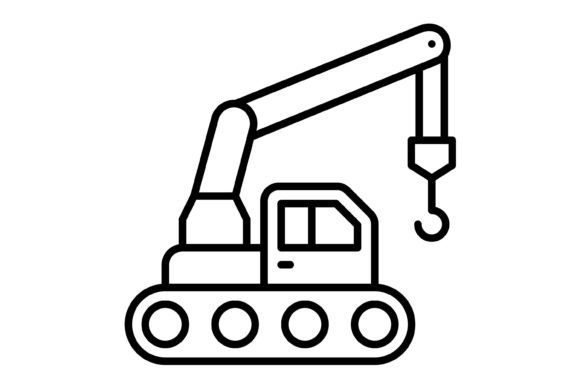
When you start a new project, finding the right visual elements can be a challenge. You need something that is clear, professional, and works across different media. The Crane Outline Icon is a design asset that fits this need. It is a simple, clean line drawing of a construction crane. This icon is not just a picture; it is a versatile tool for communication. Its style is minimalist and modern, avoiding unnecessary details. This makes it easy to understand at a glance, whether it is on a small phone screen or a large poster. The personality of the icon is one of reliability and progress. A crane is a symbol of building, lifting, and moving forward. This makes the Crane Outline Icon suitable for businesses in construction, engineering, manufacturing, and real estate. But its appeal goes beyond that. Any brand that wants to convey strength, stability, or development can use it effectively.
Where This Icon Works Best
The true value of a design asset is in its flexibility. The Crane Outline Icon excels here because of the file formats included in the zip file. You get five different formats: AI, EPS, JPG, PNG with a transparent background, and SVG. This means you are ready for almost any application. For digital projects, the SVG and PNG formats are perfect. SVG files are vector-based, meaning they scale perfectly without losing quality. You can use them on responsive websites, in mobile apps, or for social media graphics. The transparent PNG is ideal for placing the icon over colored backgrounds or photographs without a white box around it. For print and presentation materials, the AI and EPS vector formats are essential. They allow you to edit the icon in programs like Adobe Illustrator. You can change the line thickness, adjust the color, or resize it for a business card, a brochure, or a large banner without any pixelation. The JPG format is useful for quick mockups or when you need a simple image file.
This icon is designed for maximum usability. Each line is crafted for clarity. As a 100% vector icon, it is easy to edit and scale. This is a practical feature for entrepreneurs and small business owners who might need to adjust assets themselves. Imagine you are creating a presentation for investors. Using the Crane Outline Icon on your slides can visually reinforce points about growth and infrastructure. If you are a blogger writing about urban development, this icon can serve as a consistent visual motif in your article graphics. For marketers, it can be part of an infographic about industry trends. The consistency of using the same professional icon across your website, your social media posts, and your printed materials helps build a strong brand identity. It creates a recognizable visual language that your audience will associate with your message.
Making Smart Design Choices
Choosing the right icon is similar to choosing a typeface. You need to consider context. The Crane Outline Icon is a specific symbol. It works best when its meaning aligns with your content. Using it for a bakery logo would be confusing. Using it for a portfolio website of an architect is perfect. Think about your audience. For professionals in technical fields, the icon communicates competence. For a general audience, it can symbolize something new being built, like a community project or a new product launch. When integrating it into your designs, consider visual hierarchy. An icon should support your message, not overpower it. Its clean lines allow it to sit comfortably next to both serif and sans serif fonts. For example, pairing it with a strong, modern sans serif typeface for headings creates a cohesive, contemporary look. You could also use it as a subtle element in the background of a layout to add texture and theme without distracting from the main text.
Practicality is key. The fact that this icon is ready to use for all devices and platforms saves significant time. You do not need to create it from scratch or hunt for multiple versions. The included formats cover the most common needs in design, from web development to print production. For those working on templates or illustrations, having a reliable, editable vector icon is a valuable part of a design toolkit. It is a commercial font asset, meaning you can use it in projects for clients or for your own business ventures. Always check the specific license included with your download to understand the terms fully. Before finalizing a design, test the icon in context. Place it on your website mockup. Print it out at the size it will appear on a flyer. Does it remain clear and impactful? Does it support the overall tone of your project? This kind of testing ensures that your design choices are effective and professional. The Crane Outline Icon is a straightforward, functional tool. Its strength lies in its clear symbolism and technical versatility, making it a useful component for a wide range of creative and commercial projects.